Prepare your wallets folks, Nvidia is officially announcing its RTX 40-series GPUs today. The RTX 4090 arrives on October 12th priced at $1,599, with the RTX 4080 priced starting at $899 and available in November.…

Xploring Gadgets, Computing and Technology
Prepare your wallets folks, Nvidia is officially announcing its RTX 40-series GPUs today. The RTX 4090 arrives on October 12th priced at $1,599, with the RTX 4080 priced starting at $899 and available in November.…

Along side the announcement of the M2 processor, Apple is giving it's best selling hardware a retrofit. The Macbook Air now features a design that is very similar to the company's Macbook Pro with a…
Apple has announced it's new M2 chip today at the company's Worldwide Developers Conference (WWDC). The company is set to replace all of it's current products that run the M1 and it's variants with the…
Have you been using Gcash and/or Coins.ph to fund your Shopee purchases via ShopeePay? You might want to read this. Read More

The latest company added in Microsoft's acquisition spree has the gaming community set aflutter. A whopping 69 billion USD will change hands to "provide building blocks for the metaverse." How will it affect the Activision-Blizzard's…

In response to Converge's updated FiberX plans, PLDT is also rolling out upgrades to it's UNLI Fiber plans - tho for existing PLDT subscribers, it'll likely take awhile for the new plan to reflect on…
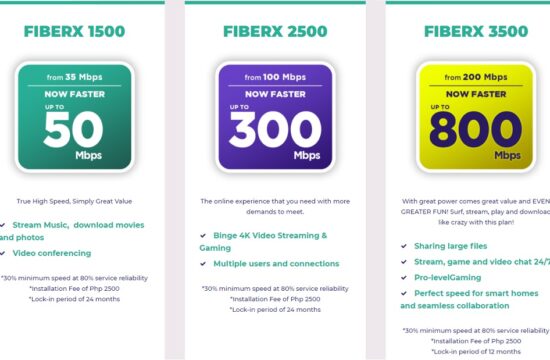
Good news to all current Converge ICT subscribers of Fiber X, as the company announced it's upgraded residential plans for FiberX with connection speeds starting at 50Mbps for 1500. Read More
Microsoft has finally confirmed the release date of Windows 11. For anyone currently running Windows 10, he free upgrade to Windows 11 will begin rolling out to eligible Windows 10 PCs and PCs that come…
Google will soon block Android versions lower than Honeycomb (3.0) effective September 27, 2021. The main reason for the change is security as Google is no longer providing security updates for Android up to Gingerbread. …
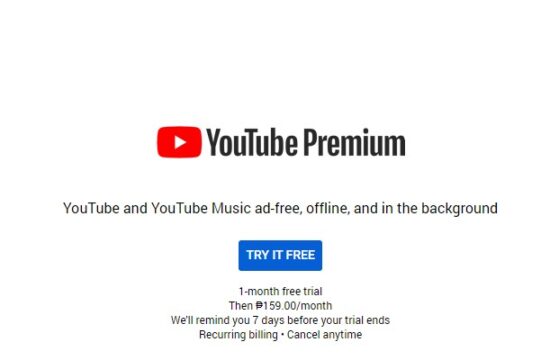
A few countries are already seeing the pilot program of Youtube's new subscription tier to skip those darn ads. With Youtube videos now being peppered with ads every 10 minutes or so, this is a…