Microsoft has finally confirmed the release date of Windows 11. For anyone currently running Windows 10, he free upgrade to Windows 11 will begin rolling out to eligible Windows 10 PCs and PCs that come…
Xploring Gadgets, Computing and Technology
Microsoft has finally confirmed the release date of Windows 11. For anyone currently running Windows 10, he free upgrade to Windows 11 will begin rolling out to eligible Windows 10 PCs and PCs that come…
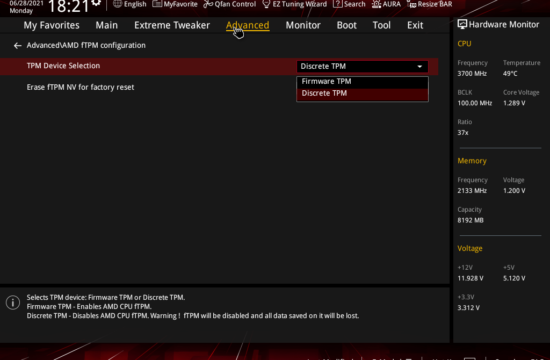
With Windows 11 requiring TPM 2.0, many users are now wondering if their current hardware will be able to install the upcoming Windows version. If you've purchased in the last 2 years, there is a…

According to the latest numbers crunched by pingdom, people are finally migrating from Windows XP to Windows 7. That is, for the U.S. market at least. The data comes from aggregated visits to over 3…
Microsoft celebrates the first birthday of it's flagship operating system with news that Windows 7 has sold more than 240 million licenses for it's first year in the market! Not a lot you say? Compared…
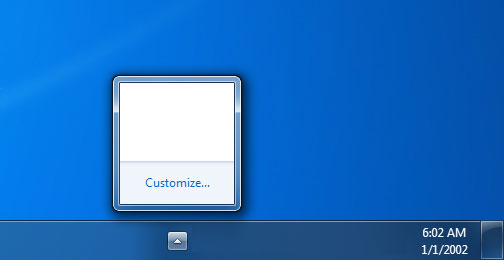
If your Notification Area looks as blank as the image you see here then there's something wrong with your registry. The usual fix for this is to turn your computer off and on again or…
With Microsoft putting up it's own PC vs Mac comparison (guess who wins on this one?), Dell ups the ante by erecting a similar page comparing Apples to Apples. Apples to Apples? Huh? For some…
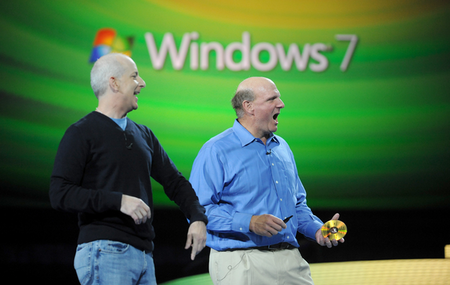
Just after a month of topping 150 million in licenses, Microsoft and no doubt Steve Ballmer, is happy to report once again that Windows 7 is selling quite well, adding another 25 million in sales. …
Microsoft has made the BETA release of Service Pack 1 for Windows 7 and Windows Server 2008 R2 publicly available to TechNet, BizSpark and MSDN subscribers. If you're eager on testing the latest build for…

Microsoft has announced that it has now sold over 150 million Windows 7 licenses since the product first launched in October 2009, reiterated that this makes it's current flagship OS as the fastest-selling operating system…
Managing files between multiple Windows Explorer windows is usually a hassle without a proper software to handle this task. Sure, it's easy transferring a file or a set of files from one folder to another…